
Clermont County Civil Docket Searches
Every Clermont County civil docket search starts with two facts. One is the court. The other is the case family. For General Division civil matters, the Common Pleas Clerk points users to its Case Access page. That page leads to the public CourtView entry. CourtView shows its terms and a CAPTCHA before any search screens open. Expect that step, and plan a manual search from there. The clerk also cautions that fresh filings and decisions may lag behind, and that civil domestic-violence petitions stay out of the public view.
Municipal civil cases run through the Municipal Clerk's Case Access route. That route feeds the combined Criminal-Traffic-Civil CourtView service. Municipal files older than May 1, 1996 live at the clerk's office instead. Domestic Relations keeps its own public entry, and Probate has a separate access path. No single Clermont County civil docket system spans every division. Pick the court-specific route first.
- Read the court name and case number on the notice, filing, or prior order.
- Use the matching Common Pleas, Municipal, Domestic Relations, or Probate access route.
- Confirm the case type, parties, filing history, and current docket events before drawing conclusions.
- Contact the responsible clerk when a result is missing, recent, old, or needs an official copy.
Clermont Civil Docket Routing
Subject matter and dollar amounts divide Clermont County civil court dockets. Municipal Court handles civil claims at or below $15,000. Small claims run up to $6,000. Bigger general civil litigation belongs to the Common Pleas General Division. That includes foreclosures, injury claims, contracts, injunctions, and administrative appeals. Domestic Relations, Probate, and Juvenile records each stay with their specialized divisions. Which court you choose decides both the docket source and the copy request route.
| Clermont court | Civil docket examples | Record route |
|---|---|---|
| Common Pleas General Division | Foreclosure, contract, injury, appeal | Common Pleas Clerk and CourtView |
| Municipal Court | Small claims, eviction, rent escrow | Municipal Clerk and combined CourtView |
| Domestic Relations | Divorce, custody, support | Domestic Clerk and separate CourtView |
| Probate Court | Estates, guardianships, name changes | Probate access, then direct document access |
Nail down the court and the case-number pattern before picking a portal. The Common Pleas Clerk's court guide shows how that matching works for Clermont County filings.
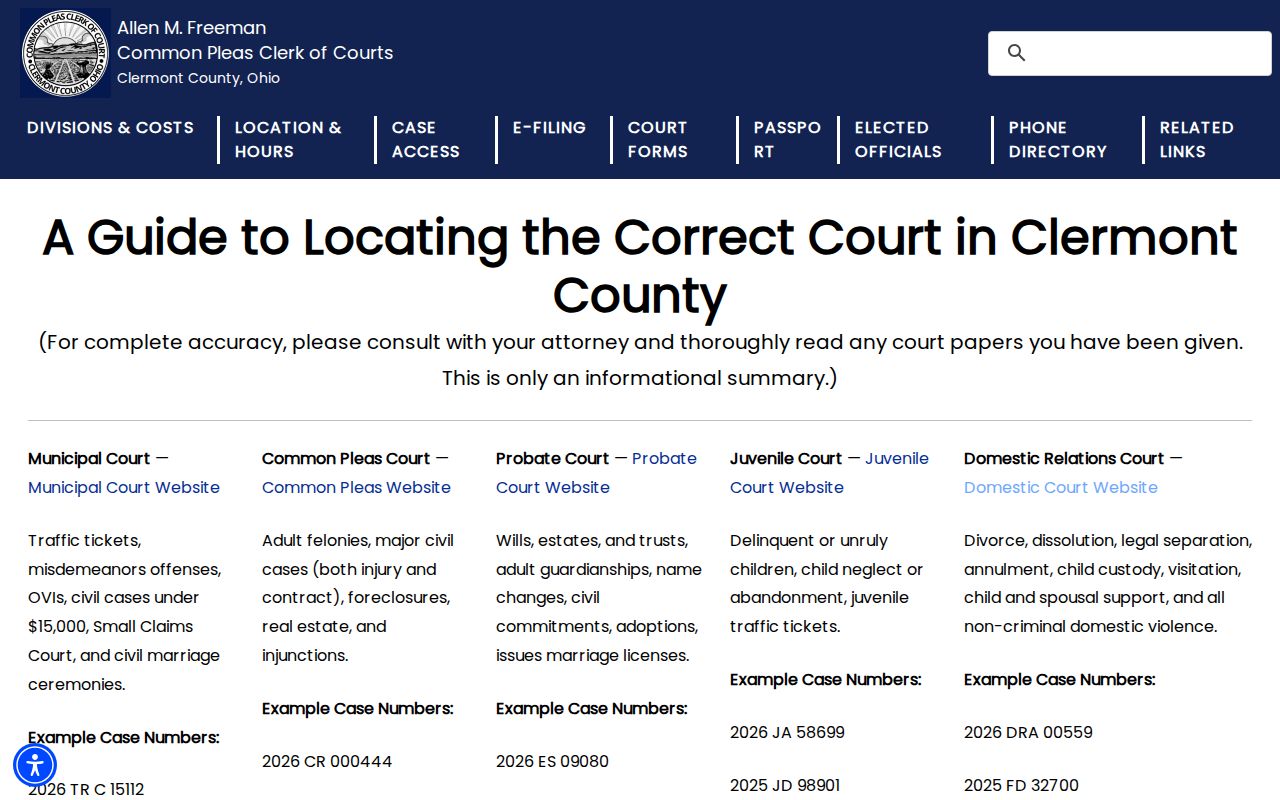
That routing step does real work. It keeps a Municipal civil file from being read as a General Division case, or a Probate matter from being written off as a missing civil docket.
Civil Dockets: What They Show
In Clermont County, the docket is the clerk's official chronological record. It covers everything filed or issued in a case. A filed paper gets a date and time stamp. It also gets a docket entry and an electronic image. It is preserved in the record and brought to the judge's attention. The word docket has a second sense, though. It can also mean a judge's hearing schedule. Keep the case event history distinct from a weekly court calendar.
| Case number | Identifies the court and case family, such as 2025 CVP 74981 for a Common Pleas civil-protection example. |
|---|---|
| Caption and parties | Names the case and the parties in the court record. |
| Filings and service | Shows complaints, answers, summonses, service, and later papers by date. |
| Motions and settings | Lists requests to the court and any hearing or conference entries. |
| Orders and judgment | Records rulings, journal entries, dismissal, or a final civil judgment. |
No image online does not mean nothing was filed. Remote-access limits may be the cause, or the image may require a request through the clerk.
Clermont Civil Docket Codes
Clermont County publishes case-type cues for Common Pleas e-filing. It offers no universal CourtView code dictionary. Even so, they help you read a civil docket. On a Clermont civil matter, CVA signals a professional tort. CVE marks a foreclosure. CVF flags an administrative appeal. Add CVG for complex litigation and JUD for a certified judgment category. Unexplained docket abbreviations deserve no guessed meanings.
- Complaint
- The civil paper that begins a claim and requests relief.
- Service
- Formal delivery of the court papers to a party.
- Answer
- A written response to the complaint; failure to answer can lead to default judgment.
- Entry
- A docketed court action, including an order or ruling that may be journalized.
The Clerk of Courts glossary gives the local meaning of these civil docket codes and record terms.
For access questions, the Common Pleas technology information explains how the court handles online civil docket records and what a case lookup through its system covers.
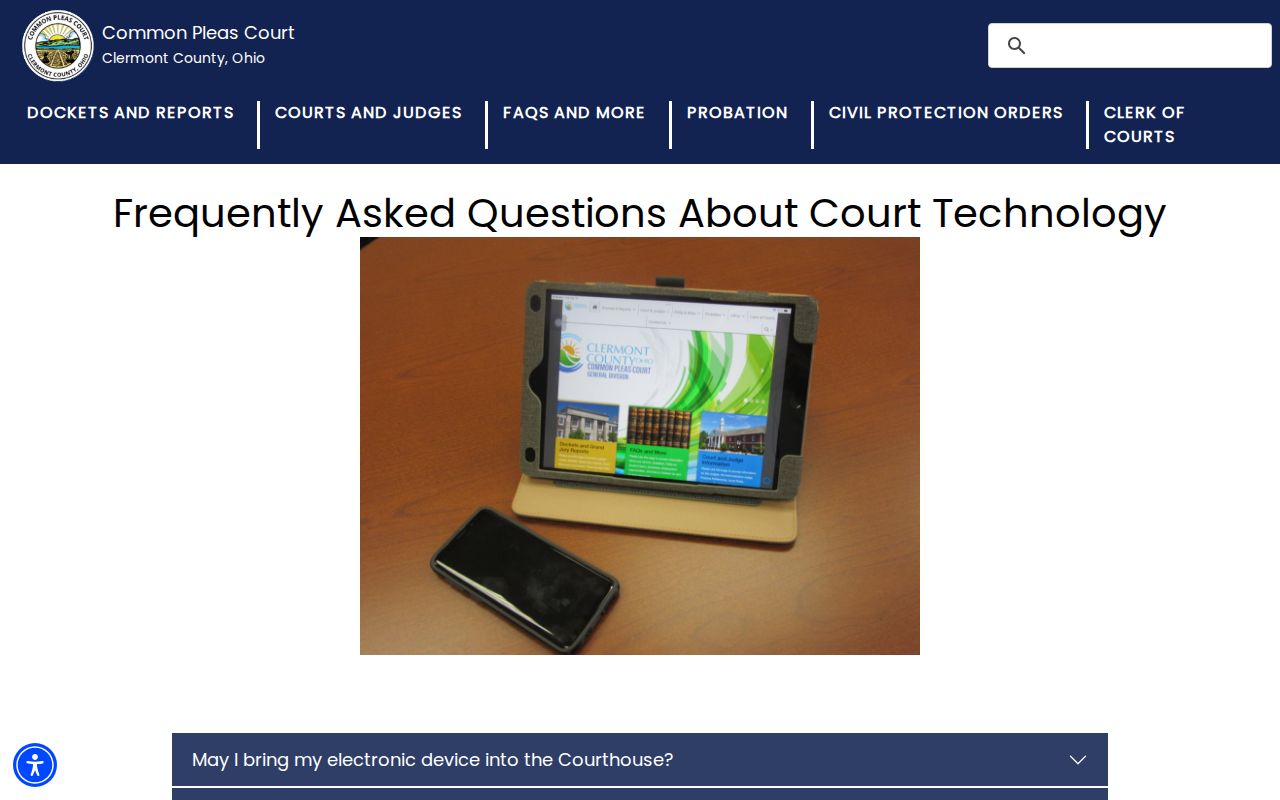
Read the official technology material alongside the current clerk pages. Those pages publish specific web-form filing routes for eligible Clermont County civil matters.
What Cases Fill the Civil Docket
Different forums fill Clermont County civil court dockets with different disputes. Common Pleas General Division carries the broad general civil work. Municipal Civil takes the smaller matters. A case filed in Domestic Relations, Probate, or Juvenile keeps its civil character. It stays on that division's own record path. Subject and filing type route a search better than a name alone.
- Common Pleas foreclosures, professional torts, other torts, contracts, and administrative appeals.
- Municipal small claims, collections, rent escrow, trusteeship, and civil BMV appeals.
- Municipal eviction cases, locally termed forcible entry and detainer.
- Domestic Relations divorce, dissolution, custody, support, and related files.
- Probate estates, trusts, guardianships, civil commitments, and name changes.
Note: a case label only marks the court route, and the docket and underlying documents can carry different public-access limits. The Municipal Civil Division describes its small-claims and general civil role.
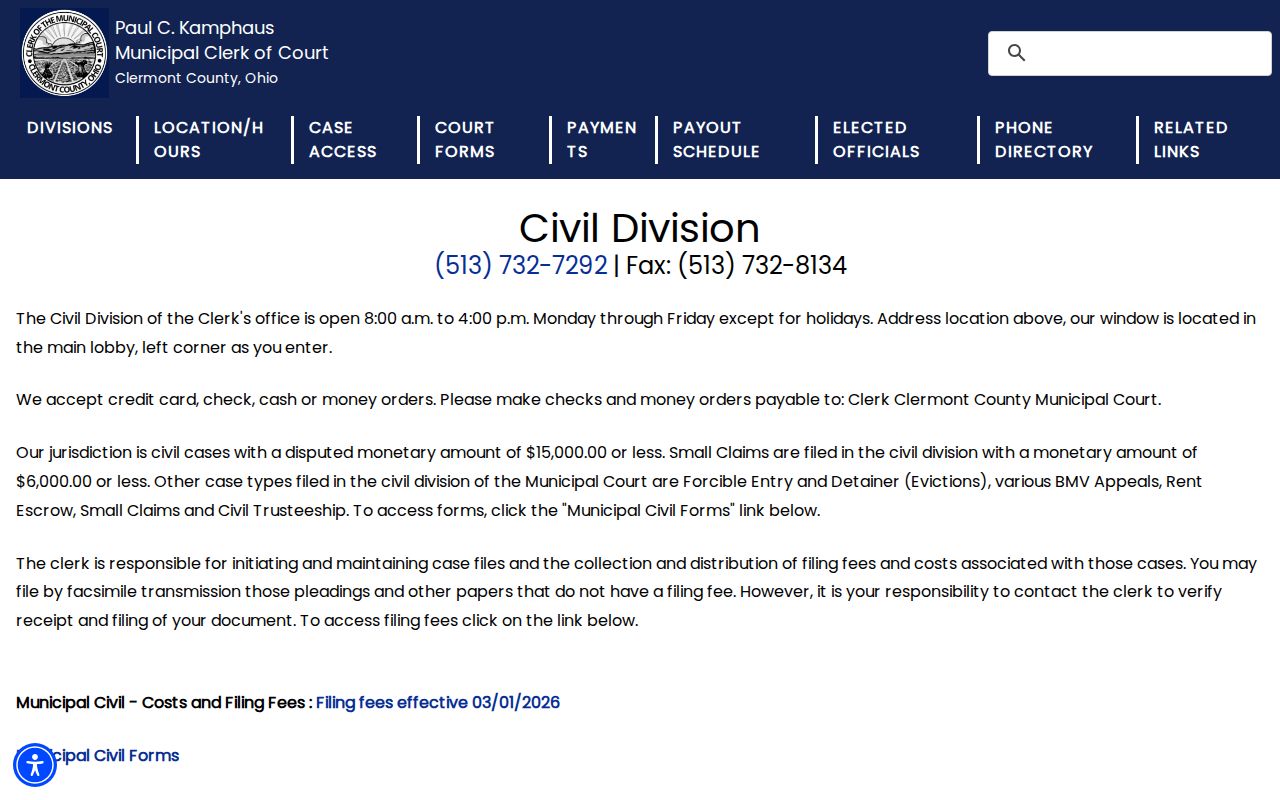
Municipal Civil runs its own counter and case-management function. That is why a Municipal civil docket never shows up inside a general Common Pleas search.
Clermont Civil Docket Timing
Municipal civil procedure creates local docket events that are easy to misread. Under Local Rule 35, a civil pretrial normally comes after completed pleadings. The rule also expects an answer within 90 days. Evictions, small claims, and BMV suspension appeals sit outside that rule unless the court waives the exception. The court can then enter a pretrial order. Treat a pretrial entry as a case-management event. Never read it as a final ruling on the claim.
An eviction docket can list more than one date. When the complaint also asks for money, the Municipal Court sets a separate hearing. That session covers only the added claim. Read the docket as a sequence of distinct court events. A filed continuance request does not prove a date changed. Confirm with the court and its current calendar information. For the court's available civil forms, the Municipal Court forms page is the official route.
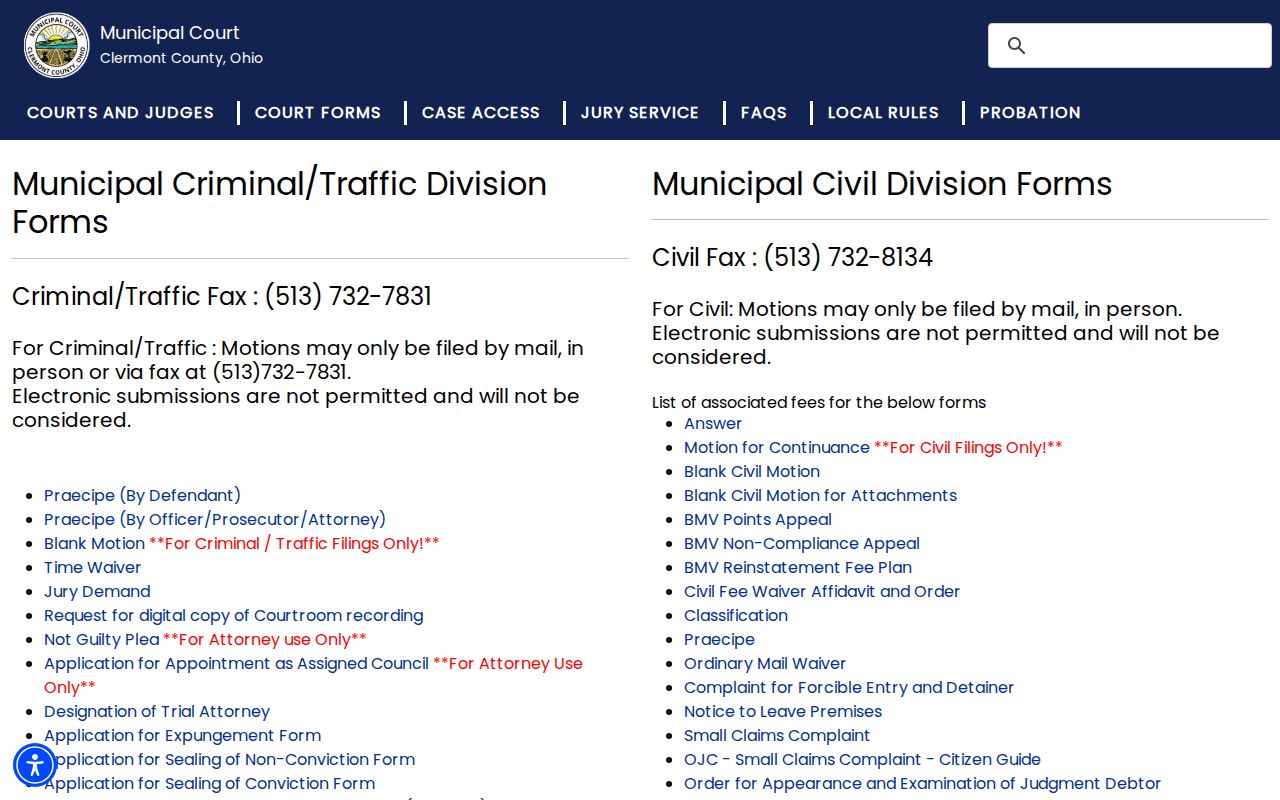
Forms help you find the right paper. The docket remains the record of what was actually filed and scheduled.
Hearings on the Civil Docket
Look at a Clermont County civil docket. You may spot a conference, a motion hearing, a trial setting, a judgment entry, or post-judgment work like garnishment or execution. A Common Pleas case usually runs a familiar course. The complaint and classification form come first. Then come service, an answer, motions, and a conference or trial before judgment. After that, execution, garnishment, recording, or an appeal can follow. Remember that an entry only proves the court recorded an event. Its real effect lives in the linked entry or order.
A Common Pleas hearing date deserves a second check. The court posts weekly judge schedules, yet warns they can shift. The Assignment Office tracks future hearing dates at each judge's direction. It is the best local confirmation channel. Municipal hearing questions belong with the Municipal Civil Clerk at 513-732-7292, not an old notice. Need a matching case number and live clerk routes? Turn to the Clermont County docket search page.
Clermont Civil Docket Filing
Viewing a docket and filing into one are two different Clermont County processes. The Common Pleas Clerk runs web-form e-filing. It covers stated General Division and Domestic Relations case types. In the General Division, the local case categories signal who qualifies. Every new complaint needs its classification form. CourtView is there for reading case information, not for lodging pleadings.
Municipal Civil takes qualifying fax filings with no filing fees, though receipt must be verified. Under Local Rule 9, a fax is not filed. It becomes filed only when the clerk receives it and fees clear. General fax filings top out at 15 pages. The Civil fax line is 513-732-8134. The clerk must receive and file the pages. Until then, a sent fax is unfiled, not a docket entry. The Domestic Relations e-filing page spells out the clerk's upload and form requirements.
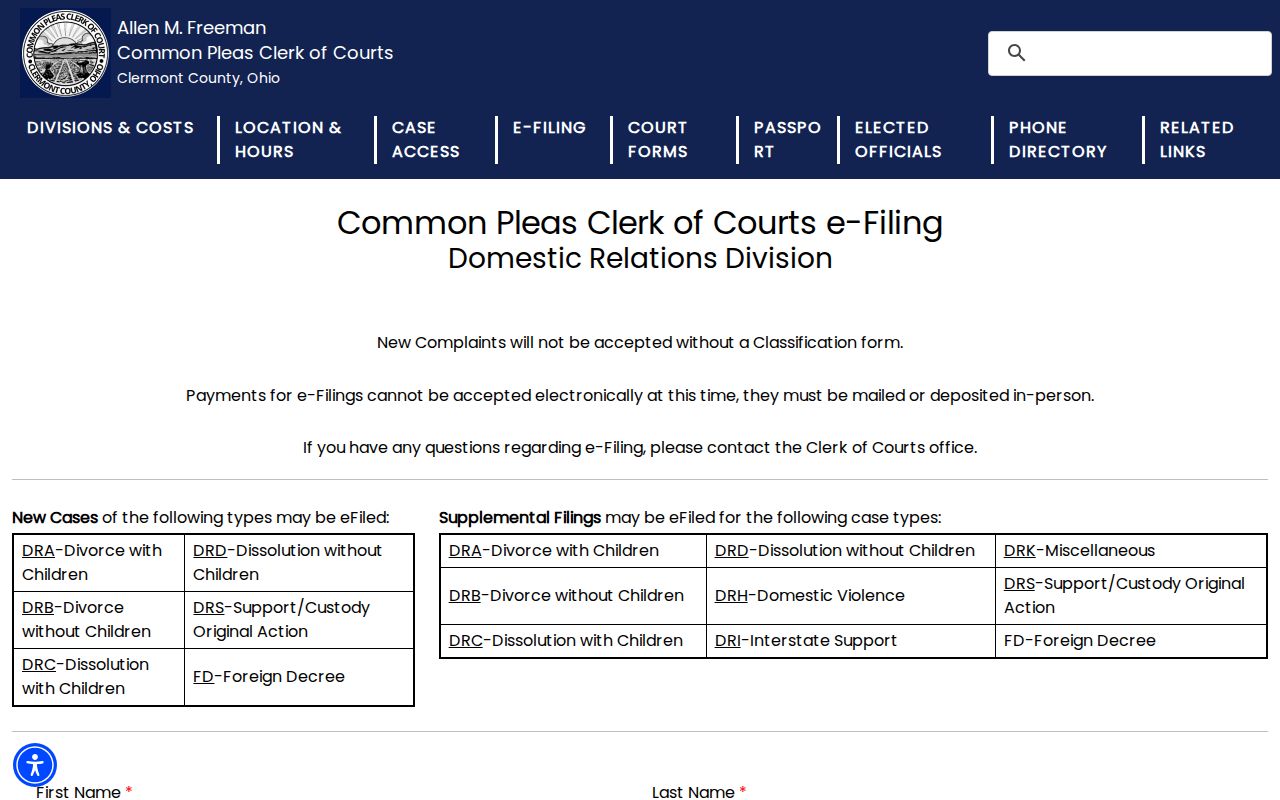
Filing hands papers to the clerk. The docket later records both the filing and any court action on it.
Who Can See Civil Dockets
Ohio court-record rules govern who sees Clermont County civil court dockets, not any promise that every document sits online. Sup.R. 11.09 through 11.16, once numbered Sup.R. 44 through 47, open court records by default. The same rules set separate rules for direct versus remote access, personal identifiers, and restrictions. A clerk can offer remote access yet still keep some document images offline.
Ohio court-record limits: R.C. 2303.12 requires Common Pleas docket keeping and public reproduction access. R.C. 2303.901 identifies case documents and protects personal identifiers and restricted material. A civil docket result can be public while an attachment is withheld or redacted.
Both local public portals leave out civil domestic-violence petitions. Probate allows remote case access but withholds electronic document images. A blank result or missing image is a reason to call the responsible clerk, not proof that no case exists.
Clermont Civil Docket Clerk Paths
Need a document behind a Clermont County civil docket entry? Go to the clerk who keeps that court's file. The Common Pleas General Division counter sits at 270 East Main Street in Batavia. Its Civil information desk answers at 513-732-7130. To pull an image, use the clerk's request form. It wants the case number, docket codes, and document dates. This route matters when an online docket event names a paper the portal never shows.
Clermont Common Pleas General Division Clerk
270 E. Main St.
Batavia, OH 45103
513-732-7130
Need decree copies from Domestic Relations? They come through domesticclerkofcourts@clermontcountyohio.gov or 513-732-7832. Municipal Civil records live at the Municipal Clerk's lobby counter or the Civil line, 513-732-7292. Probate images require direct access at Probate Court. Want a transcript? Contact the court reporter instead of running a docket search. The Domestic Relations Clerk page lays out the division-specific records contact path.
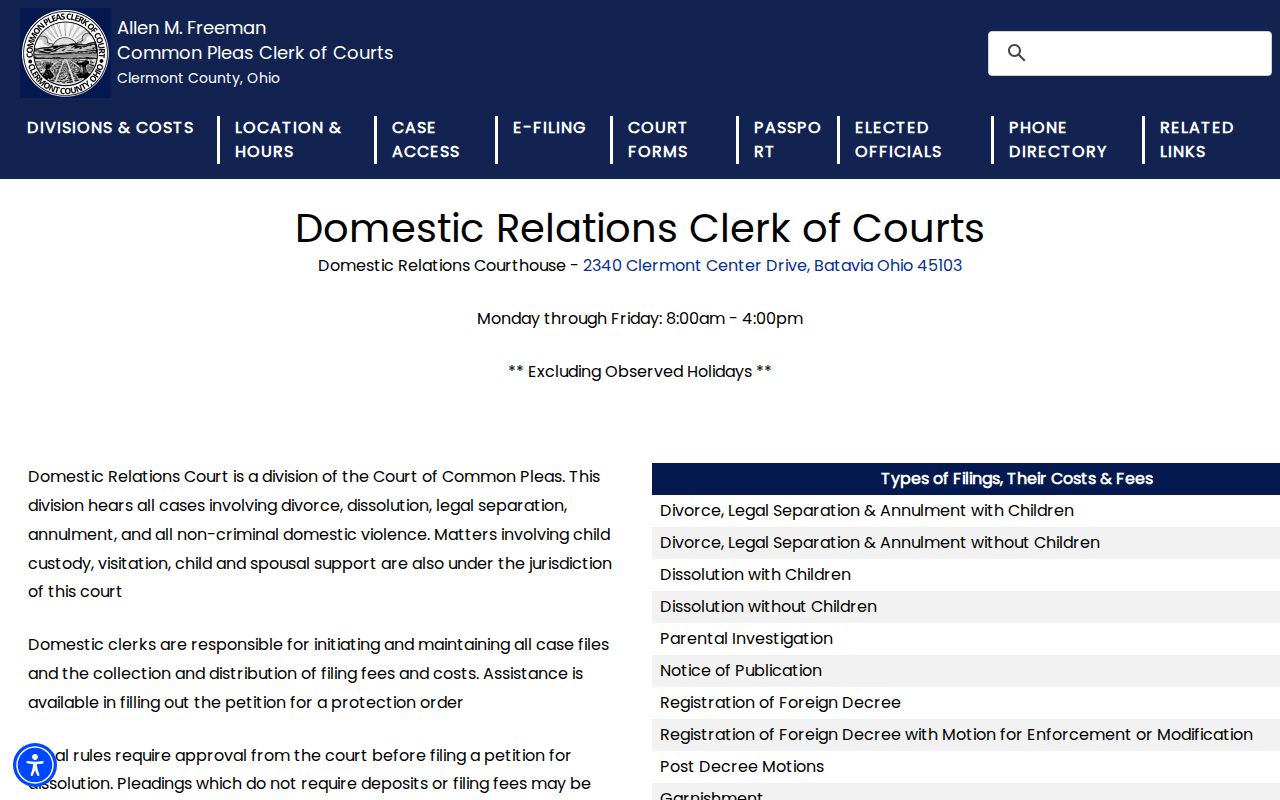
Clermont civil records split across separate clerks by design. That matters most when a general court search cannot reach a family or probate file.